Creating a Veeam 365 Account
- Log in to the portal.
- From the side panel, click on Veeam Backup.
- To create a new account, click the plus (+) button located on the right. You will be presented with the Veeam Account Creation menu.
- Select the Project you want the account to be associated with.
- In Location, choose the datacenter where your backups will reside.
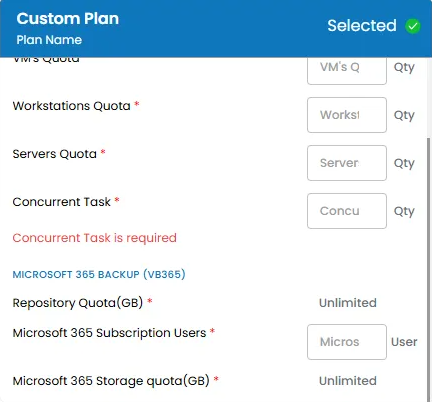
- Create a custom plan.
- For Veeam 365 Accounts, you will need to configure:
- Microsoft 365 Subscription Users
- Set the Account Name and add a Description.
- Choose the Billing Cycle, then click Review and Create Veeam Account. After the account is created, you will receive an email with the login credentials for the Veeam console.
Accessing the Veeam Console
To access the Veeam console, click the Console Access button on the left side of your Veeam Account page.
Log in using the credentials we provided after the account creation. From the console, you can view, manage, and create your backup jobs.