What is PostgreSQL
PostgreSQL is an advanced open-source relational database that stores data in structured tables with defined schemas. It supports relationships between tables using primary and foreign keys, ensuring strong data integrity and consistency.
Key features of PostgreSQL include:
ACID Compliance: It fully supports ACID (Atomicity, Consistency, Isolation, Durability) transactions, making it highly reliable for critical applications that require guaranteed data consistency and fault tolerance.
Extensibility: PostgreSQL is highly extensible, allowing users to define custom data types, operators, functions, and even procedural languages. This makes it suitable for a wide range of specialized use cases.
Advanced Querying: Provides a powerful SQL engine with support for complex queries, joins, subqueries, window functions, and common table expressions (CTEs), enabling advanced data analysis and reporting.
Indexing: Supports multiple indexing methods such as B-tree, Hash, GIN, GiST, and BRIN indexes, improving query performance across different workloads and data types.
High Availability & Replication: Offers robust replication features including streaming replication and logical replication, enabling high availability, read scaling, and disaster recovery setups.
JSON Support (Hybrid Capability): Although relational at its core, PostgreSQL also supports JSON and JSONB data types, allowing semi-structured data storage and combining relational and document-based approaches.
Performance & Concurrency: Uses Multi-Version Concurrency Control (MVCC) to handle high levels of concurrent transactions without locking reads, ensuring efficient performance under heavy workloads.
Integration & Ecosystem: Widely supported across programming languages, frameworks, and cloud platforms, and integrates easily with analytics tools, ORMs, and monitoring systems.
Getting started with PostgreSQL Deployment
Log in to portal.antyxsoft.io and during the instance creation at the Select Template section click on the MarketPlace App tab.
Select the ready-to-go PostgreSQL template from the list of available templates and deploy it.
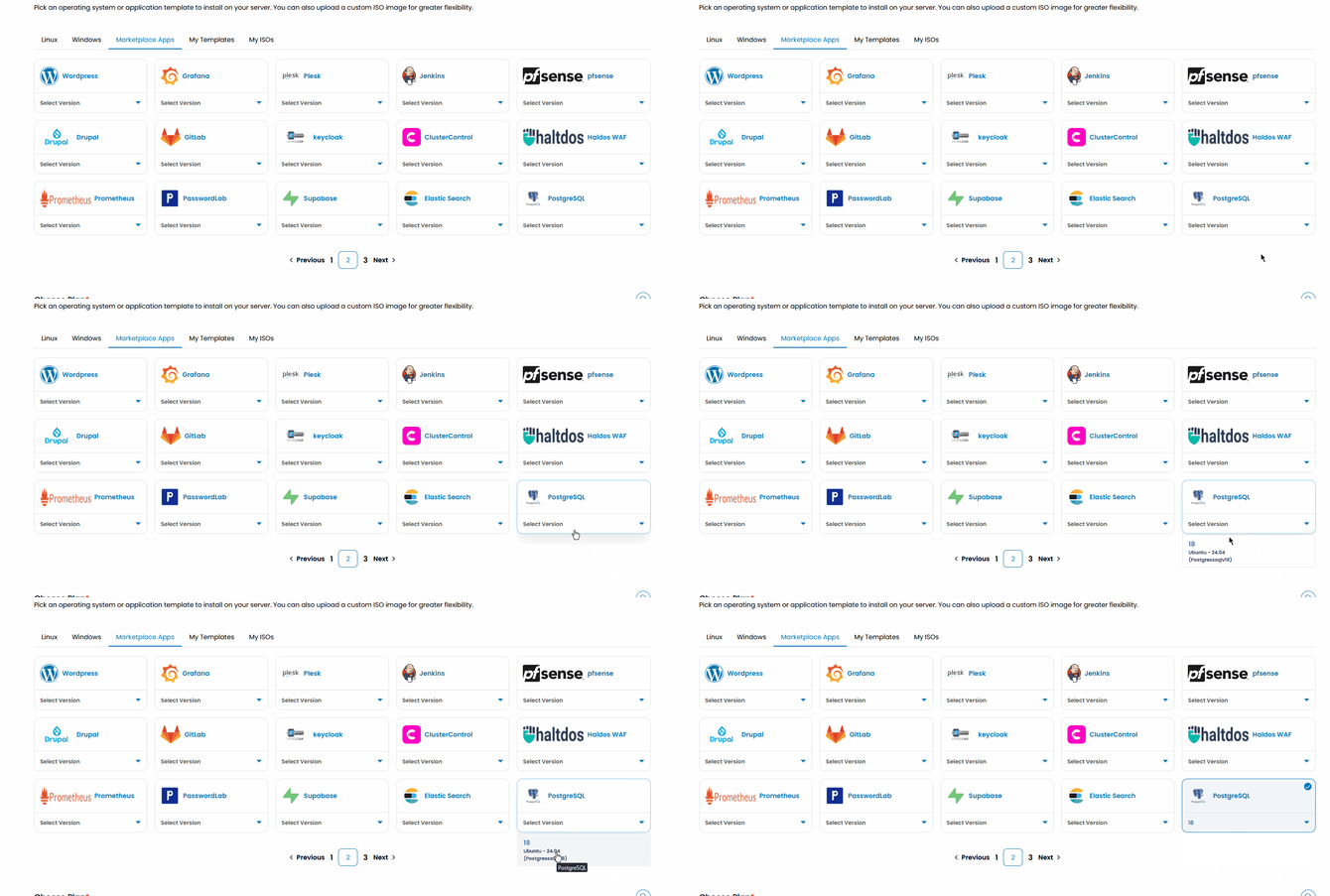
Once you select your plan resources and named the VM. Click on the Review & Deploy button to deploy your new app.
Getting Started after Deployment
After template is deployed, you can access your PostgreSQL instance with SSH
Once you are logged in with SSH, you need to switch to postgres user to create a password.
On the SSH terminal run:
su - postgres
next connect to the PostgreSQL shell with psql
psql
On the psql shell run the following query with your desired password:
ALTER USER postgres WITH PASSWORD 'NewStrongPassword';
You can connect to your PostgreSQL instance with a Client like pgAdmin, DBeaver, Postico or the built-in PostgreSQL CLI
psql -h POSTGRESQL_IP -U postgres -p 5432