What is Supabase
Supabase Vector is an open-source vector database built on PostgreSQL using the pgvector extension. It enables developers to build AI-powered applications by storing, indexing, and querying vector embeddings through familiar SQL workflows.
This makes it well suited for machine learning and retrieval-based use cases. One of its main advantages is scalable vector storage, allowing teams to manage millions of embeddings directly in PostgreSQL. It also supports storing metadata alongside vectors in the same database, which helps simplify query logic and can improve performance. In addition, Supabase Vector integrates with widely used AI platforms such as OpenAI, Hugging Face, and SageMaker, making it easier to connect applications with modern model ecosystems.
Supabase Vector also supports enterprise-grade operational needs. It includes features such as automatic backups, point-in-time recovery, and compliance-focused capabilities aligned with standards such as SOC 2 Type 2, HIPAA, and ISO 27001. Depending on technical and security
Supabase Vector is an open-source vector database built on PostgreSQL using the pgvector extension. It enables developers to build AI-powered applications by storing, indexing, and querying vector embeddings through familiar SQL workflows.
This makes it well suited for machine learning and retrieval-based use cases. One of its main advantages is scalable vector storage, allowing teams to manage millions of embeddings directly in PostgreSQL. It also supports storing metadata alongside vectors in the same database, which helps simplify query logic and can improve performance. In addition, Supabase Vector integrates with widely used AI platforms such as OpenAI, Hugging Face, and SageMaker, making it easier to connect applications with modern model ecosystems.
Supabase Vector also supports enterprise-grade operational needs. It includes features such as automatic backups, point-in-time recovery, and compliance-focused capabilities aligned with standards such as SOC 2 Type 2, HIPAA, and ISO 27001. Depending on technical and security requirements, organizations can deploy it in the cloud or run it on their own infrastructure.
Typical use cases include semantic search across internal knowledge bases, AI assistants with long-term memory, image similarity search, and applications that use embeddings to improve search, recommendations, and text completion.
requirements, organizations can deploy it in the cloud or run it on their own infrastructure.
Typical use cases include semantic search across internal knowledge bases, AI assistants with long-term memory, image similarity search, and applications that use embeddings to improve search, recommendations, and text completion.
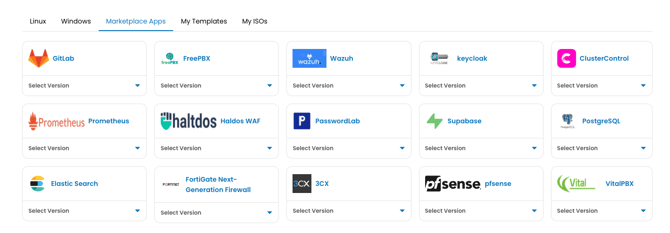
Log in to portal.antyxsoft.io and during the instance creation at the Select Template section click on the Market Place App tab.
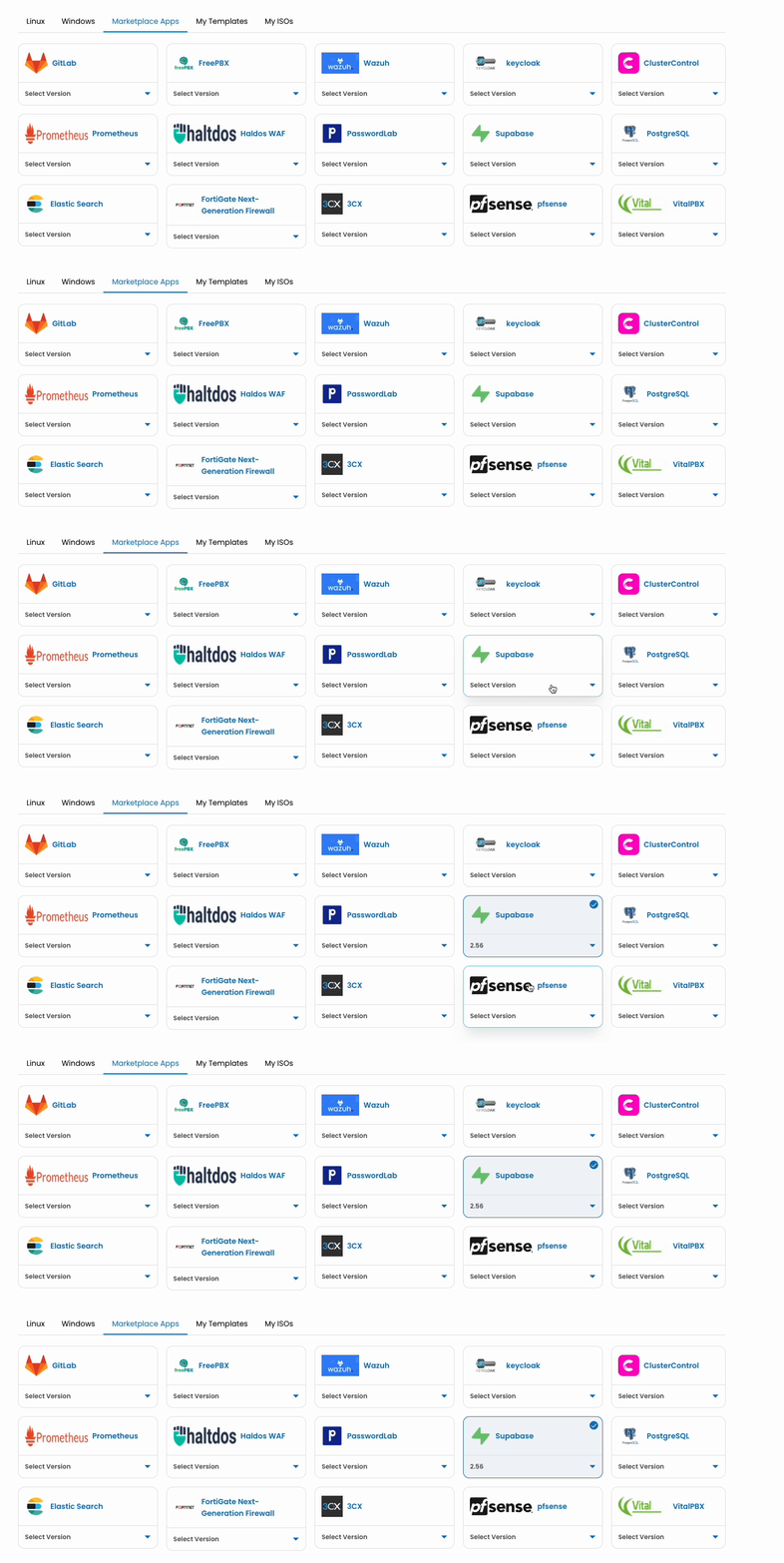
Once you select your plan and named the VM. Click on the Review & Deploy button to deploy your new app.
Getting Started after Deployment
After the template is deployed, you will be able to access Supabase Vector from the console via ssh or using the web console.
The Supabase dashboard is available at http://SERVER_IP:8000.
The default credentials are:
- Username: supabase
- Password: b52e09616efa512281aa951d399c114c
For security reasons, please change the credentials before proceeding to the next steps.
Refer to the official Supabase documentation for additional details.