What is a VPC Network?
A VPC is a logically isolated section of the network where you can launch and manage resources in a virtual network that you define. A VPC Network gives you control over your virtual networking environment, including IP address ranges, subnets, route tables, and network gateways.
Creating a VPC Network
To create a VPC Network using the Antyxsoft Cloud Platform follow these steps:
- Login to the Portal.
- From the side panel click on Networks.
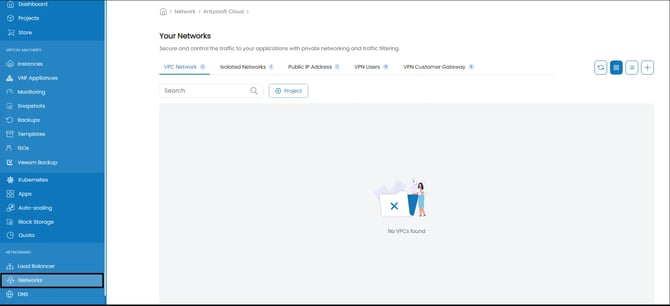
- From here you can manage and create a variety of network related options and resources. From the top bar navigate to VPC Network.
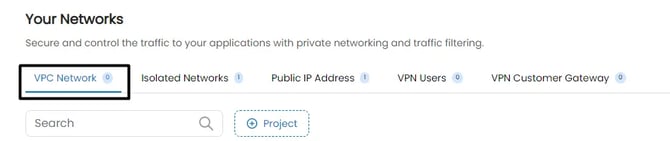
- When you click on the plus (+) button located on the right you will be presented with the VPC Network creation menu.
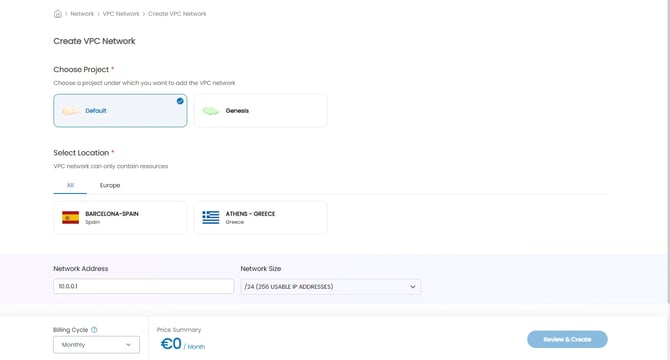
- First chose the Project you want the VPC Network to be created for.
- Then you'll have to select the datacenter location where the VPC Network will be created.
- Next, you will be asked to set the CIDR notation of your network.
- Select from one of the available plans for your network.
- Finally, you will have to enter a name and a description of the created VPC network.
- Once everything is ready you can click on Review & Deploy.
Plans vary depending on the datacenter selected.
Deleting a VPC Network
The deletion of a network is a pretty straightforward process.
- From the portal dashboard, head over to the Networks menu from the side panel.
- Locate the VPC Network you want to delete and click on the trashcan icon.
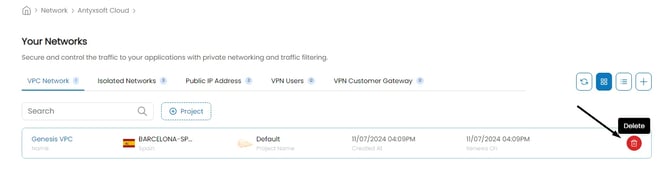
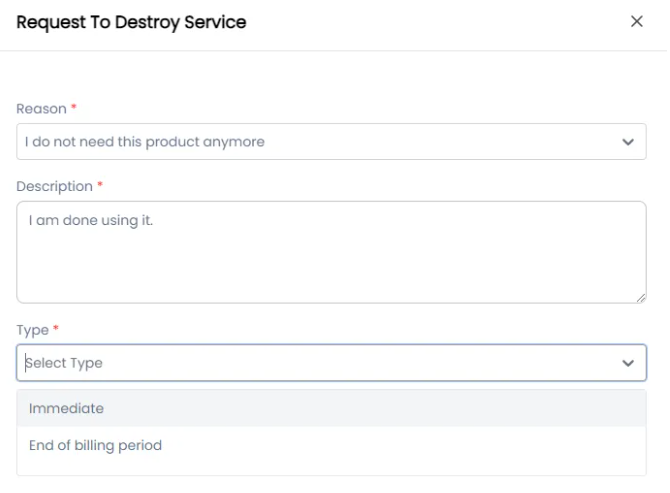
- You will be asked to the Reason a Description and the Type of the deletion.